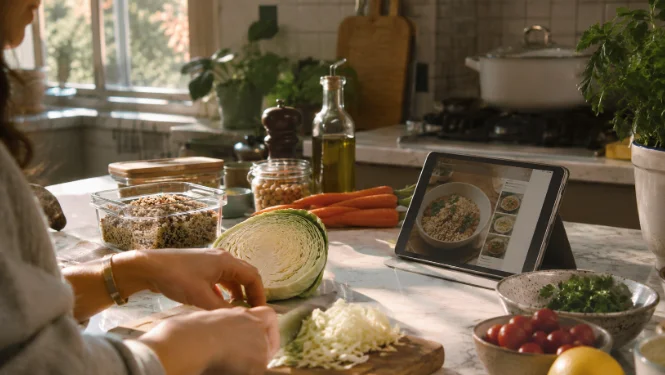
How Digital Tools Are Changing the Way We Plan Meals and Cook at Home
Finding a recipe has never been easier. Deciding what to cook with half a cabbage, a container of leftover quinoa and a few pantry staples, however, is still a familiar challenge.
Digital meal planning tools are changing that part of home cooking. Shared grocery lists, interactive recipe builders, portion calculators and artificial intelligence can help households make better use of ingredients, organize their shopping and spend less time deciding what to eat. The most useful tools are often the simplest ones, especially when they complement the way you already cook.
From Recipe Collections to Interactive Kitchen Tools
For generations, home cooks relied on handwritten recipes, cookbooks and shopping lists stuck to the fridge. These methods still work perfectly well, but digital tools offer something a printed recipe cannot: the ability to adapt information to your circumstances.
Instead of following a recipe designed for four people, you can calculate quantities for two. Rather than buying ingredients for a new dish, you can explore combinations based on what is already in your kitchen.
Finding Recipes Is No Longer the Main Challenge
Saving recipes is easy. Turning those recipes into meals is another matter.
A collection of fifty salad recipes is not particularly helpful if each requires a different set of ingredients. The challenge is choosing meals that fit your schedule, available groceries, cooking skills and household preferences.
A practical digital planning system helps narrow those choices rather than continually introducing new ones.
The Value of Turning Recipes into Practical Decisions
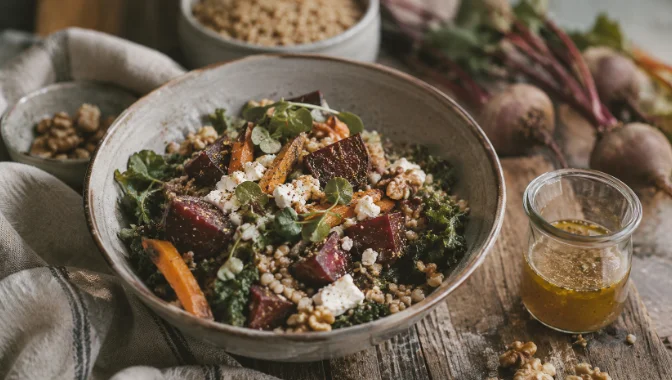
Imagine you have cooked barley, roasted carrots, chickpeas and a jar of mustard. You do not necessarily need another complete recipe. You need a way to bring those ingredients together.
An interactive dressing builder can suggest a suitable flavour combination, while a portion calculator helps determine how much dressing to prepare.
This shift from simply collecting recipes to making practical cooking decisions is one of the most valuable developments in digital meal planning.
Five Types of Digital Tools That Make Cooking Easier
Not every home cook needs a dedicated meal planning app. Depending on your routine, a shared shopping list or an online recipe calculator may provide everything you need.
1. Shared Grocery Lists
A shared grocery list is particularly useful in households where more than one person shops or cooks. Everyone can see which ingredients are needed, what has already been purchased and which pantry supplies are running low.
Organizing the list into produce, refrigerated foods, pantry staples and frozen ingredients also makes shopping more efficient.
For plant-based households, keeping recurring items such as chickpeas, lentils, tofu, lemons and tahini on a reusable checklist can simplify weekly shopping.
2. Recipe Scaling and Portion Calculators
Recipes are often written for a particular household size, which may not match your needs.
A recipe scaling calculator helps adjust quantities without having to work through every measurement manually. This is especially useful when preparing homemade salad dressings, sauces and grain bowls.
For example, if a dressing recipe makes 120 mL and you need only 60 mL, a calculator can halve the ingredients. You avoid making more than necessary while preserving the original proportions.
Seasonings may still need adjusting by taste, particularly salt, garlic and strong spices.
3. Interactive Recipe Builders
Unlike traditional recipe collections, interactive recipe builders start with ingredients or preferences selected by the user.
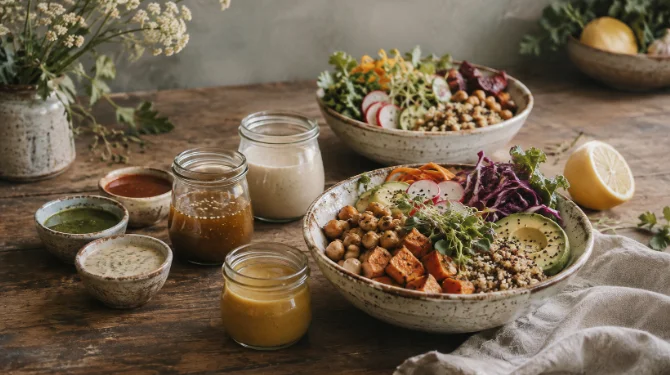
The Dressing Builder at Whisk & Leaf, for example, allows home cooks to choose a base, an acid and a flavour direction. Someone with tahini, lemon juice and garlic can create a creamy dressing without searching through dozens of unrelated recipes.
This approach is particularly useful towards the end of the week, when using existing ingredients becomes more practical than buying new ones.
4. Digital Flyers and Grocery Price Comparisons
Digital grocery flyers can help households plan meals around available promotions. Services such as Flipp bring together flyers from participating retailers, making it easier to compare advertised grocery offers in your area.
The most effective approach is to check what is on sale after reviewing your pantry.
If lentils, carrots and cabbage are already available at home, a promotion on cauliflower might provide the missing ingredient for several lunches.
Compare package sizes and unit prices rather than focusing only on the advertised discount. A larger package is not necessarily better value if you cannot use it before it deteriorates.
5. AI-Assisted Meal Planning
Artificial intelligence can generate meal suggestions based on ingredients, dietary preferences, household size and available preparation time.
A useful prompt might be:
Suggest three plant-based lunches using cooked quinoa, chickpeas, carrots and cabbage. Include two homemade dressings and avoid ingredients that require an additional shopping trip.
The resulting suggestions can provide inspiration when you are short on ideas. However, generated recipes are not automatically reliable. Ingredient quantities, cooking methods, allergy considerations and storage instructions still require careful review.
Choosing the Right Tool for Your Actual Problem
The best digital cooking tool is the one that addresses a specific difficulty in your routine. Installing several apps with overlapping features can create more work than it eliminates.
| Your problem | Useful digital tool | What to avoid |
|---|---|---|
| Forgetting groceries | Shared shopping list | Complicated planning systems |
| Preparing too much food | Portion calculator | Guessing ingredient quantities |
| Using leftover ingredients | Interactive recipe builder | Buying unnecessary extras |
| Overspending on groceries | Digital flyers and unit-price comparisons | Unplanned promotional purchases |
| Repeating the same meals | Personal recipe collection | Constantly searching for new recipes |
| Difficulty organizing the week | Simple meal planner | Scheduling every meal too rigidly |
| Running out of lunch ideas | AI-assisted recipe suggestions | Following generated instructions without checking them |
Start with the problem that causes the most inconvenience. If a shared grocery list solves it, there may be little reason to adopt a more elaborate system.
When Digital Convenience Is Worth Paying For
Many digital meal planning services offer free features alongside premium subscriptions. Paying for additional functionality can make sense, but only when it provides something you will regularly use.
Free Features, Premium Plans and Subscriptions
A free grocery list, basic recipe collection or portion calculator is often sufficient for individuals and smaller households.
Premium features may become useful when several people need access to a shared meal plan, when recipes must be organized across multiple devices or when automatic shopping lists save considerable preparation time.
Before subscribing, check the billing currency, applicable taxes, renewal terms and cancellation process. A service advertised in US dollars may cost more than expected once converted into Canadian dollars.
Also consider whether you can export your recipes and shopping lists if you decide to stop using the service.
Understanding What Different Digital Services Are Designed to Do
Digital services can look remarkably similar on the surface. A recipe builder, a streaming subscription and an interactive entertainment platform may all use personalized interfaces and digital payment systems, even though they serve very different purposes.
Those differences also extend to how money is used online, from grocery purchases and recurring subscriptions to entertainment categories such as usdc casino, where digital currency is associated with gambling rather than ordinary household spending.
For home cooks, the more useful question is whether a digital service solves a recurring practical problem. A shared grocery list or recipe calculator earns its place in the kitchen by reducing unnecessary work and making everyday decisions easier.
Measuring Value in Everyday Use
Consider a hypothetical meal planning subscription costing C$8 per month. If you use it throughout the year, the annual subscription cost is C$96 before any applicable taxes.
Whether that represents good value depends on what the service contributes to your household.
Does it prevent duplicate grocery purchases? Does it help you use ingredients before they spoil? Does it noticeably reduce the time spent planning meals?
A subscription should provide a practical benefit beyond offering an attractive interface or a large collection of recipes you may never cook.
Paper Meal Planners Versus Digital Tools
Technology does not automatically make meal planning more effective. A handwritten shopping list can be just as useful as an app, particularly for someone who shops and cooks independently.
| Feature | Paper planner | Digital planner |
|---|---|---|
| Quick notes | Simple and immediate | Convenient with a familiar app |
| Automatic calculations | Manual | Available in some tools |
| Shared access | Limited | Often convenient |
| Offline access | Always available | Depends on the app |
| Recurring shopping lists | Must be rewritten or copied | Can often be saved and reused |
| Subscription costs | None | Free or paid |
| Recipe organization | Requires manual filing | Often searchable |
| Flexibility | High | Depends on the interface |
A hybrid approach works particularly well for many households. Keep a digital grocery list on your phone, write a few meal ideas on a kitchen notepad and use an online calculator whenever you need to adjust a recipe.
There is no requirement to manage every aspect of cooking through a single platform.
A Simple Digital Workflow for Planning Weekday Lunches
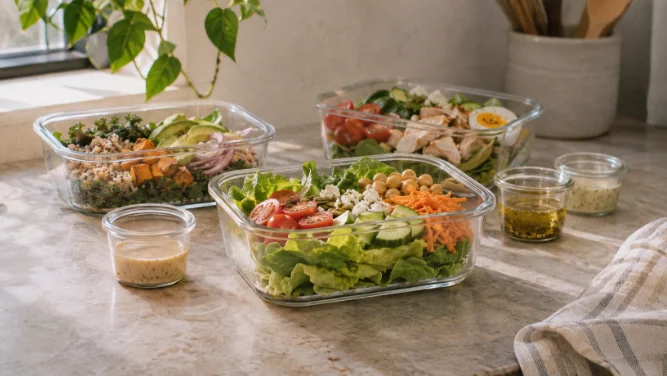
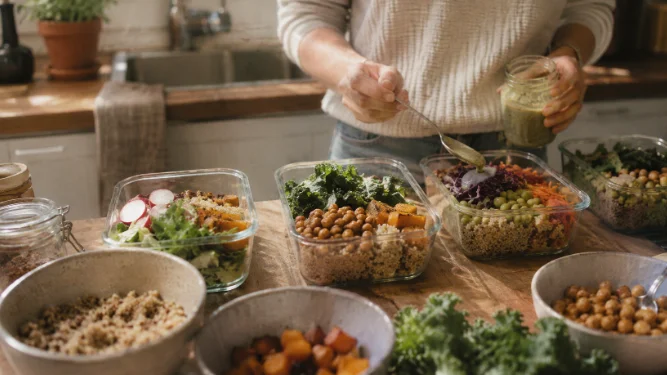
Digital planning becomes particularly useful when combined with a component-based approach to plant-based meal prep, where ingredients can be mixed and matched throughout the week.
The following workflow requires little more than a notes app, a shared shopping list and access to a recipe calculator.
Step 1: Check Your Pantry and Fridge
Start by recording ingredients that are already available.
For example, you might have:
- Dry quinoa and barley
- Canned chickpeas
- Carrots and cabbage
- Frozen broccoli
- Tahini
- Apple cider vinegar
- Dijon mustard
Pay particular attention to fresh ingredients that need to be used soon. These should influence your meal choices before you begin looking for new recipes.
Step 2: Choose Two or Three Meal Combinations
Use the available ingredients to create a short list of possible lunches.
A quinoa and chickpea salad with lemon tahini, a roasted carrot and barley bowl with maple Dijon, and a crunchy cabbage salad with apple cider vinaigrette provide three distinct combinations without requiring an entirely different shopping list for each meal.
Keep the plan flexible enough to accommodate dinner leftovers or changes to your schedule.
Step 3: Calculate Ingredients and Dressing Quantities
Determine how many portions you actually need before cooking.
For three grain bowls using approximately 30 mL of dressing each, prepare around 90 mL rather than filling a large jar unnecessarily.
A traditional three-to-one vinaigrette ratio would require approximately 60 mL of oil and 20 mL of vinegar, with the remaining volume coming from mustard and other seasonings.
For creamy dressings, adjust the water content according to the desired consistency.
Step 4: Create One Shopping List
Compare your planned meals against the ingredients already available.
In this example, you might need only fresh lemons, tofu and a seasonal vegetable to complete the week’s lunches.
Add those items to your digital shopping list and check local flyers for relevant promotions. Avoid adding unrelated products simply because they are discounted.
Step 5: Save the Combinations That Worked
After preparing your lunches, record the combinations you would happily make again.
A short note such as “barley, roasted carrots, chickpeas, maple Dijon” is often more useful than saving another lengthy recipe.
Over time, these notes become a personal collection of reliable meals built around ingredients you regularly purchase.
What to Check Before Relying on an Automated Recipe
Digital tools can make cooking more convenient, but they do not replace practical kitchen knowledge. Automated recipes and AI-generated meal plans should be reviewed before use.
Ingredient Quantities and Unit Conversions
Canadian home cooks frequently encounter recipes using both metric and traditional kitchen measurements.
A metric tablespoon is 15 mL, a teaspoon is 5 mL and a metric cup is 250 mL. An American customary cup, however, is approximately 237 mL.
These differences may have little effect on a simple salad dressing, but they can matter in recipes that require greater precision.
Also check whether ingredient quantities refer to dry or cooked grains, drained or undrained canned legumes, and whole or chopped vegetables.
Food Allergies and Ingredient Substitutions
Automated recipe suggestions may overlook ingredients that contain allergens or recommend substitutions that are unsuitable for particular dietary requirements.
For example, replacing cashews with tahini removes an intentionally added tree nut but introduces sesame. Replacing dairy yogurt with soy yogurt introduces another potential allergen.
Sesame, mustard, soy, peanuts and tree nuts are among Canada’s priority food allergens. Always verify ingredient labels and cross-contact risks rather than relying on an automated allergen filter alone.
Storage Instructions and Food Safety
A generated meal plan may suggest preparing five lunches in advance without adequately considering storage requirements.
Health Canada recommends keeping refrigerated food at 4°C or colder and consuming refrigerated leftovers within two to three days or freezing them for later use.
When preparing grains, cooked vegetables, tofu and legumes, organize your cooking schedule around these recommendations rather than assuming every ingredient will remain suitable throughout the working week.
A digital planner can help by scheduling a midweek preparation session or reminding you to freeze additional portions.
Use Technology to Simplify Cooking, Not Complicate It
The greatest benefit of digital meal planning tools is not the ability to organize every recipe, calculate every ingredient or schedule every meal weeks in advance. It is the ability to make everyday cooking decisions with less effort.
A shared grocery list can prevent unnecessary purchases. A recipe builder can help turn leftover ingredients into something appealing. A portion calculator can prevent you from preparing more dressing than you need.
Start with one tool that solves a genuine problem in your kitchen. Combine it with a small collection of versatile ingredients, a few favourite homemade dressings and a flexible approach to meal preparation.
Technology earns its place in the kitchen when it helps you spend less time managing meals and more time enjoying them.